[vivo] Android Settings for Shooting with Screen Off
Open "Settings", find "Battery" and click to enter.
- You can also directly search for "Battery" in "Settings"
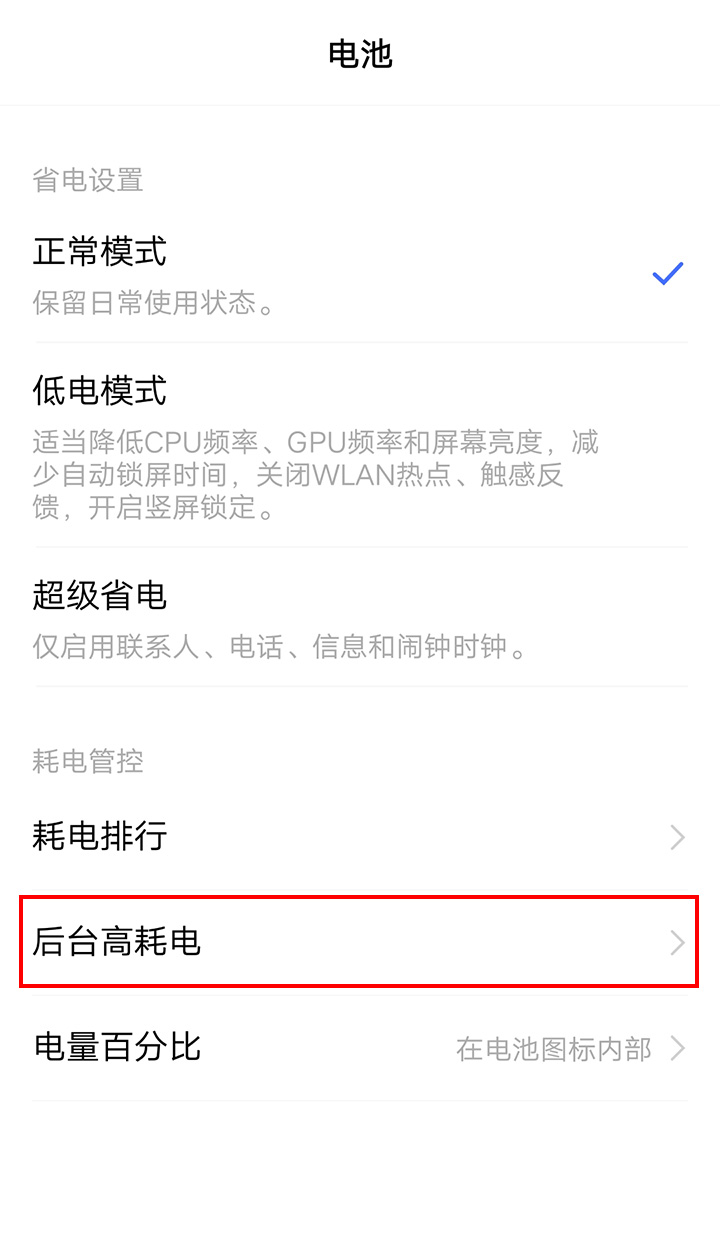
Find "High background power consumption" in "Battery" and click to enter. As shown below:
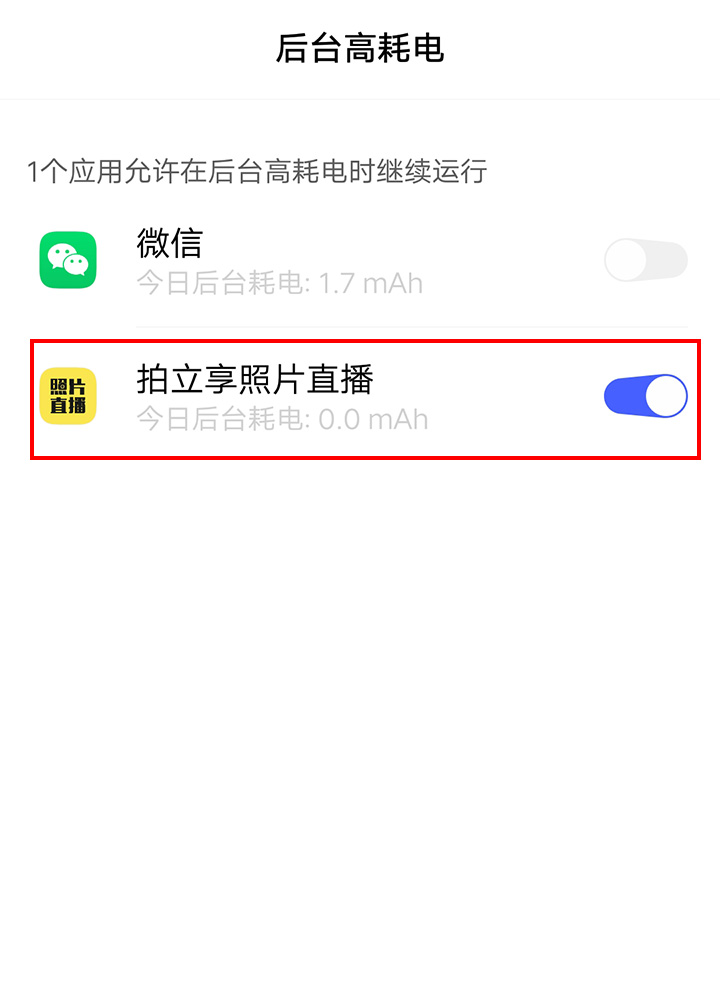
Find "UPHOTO Live" in "High background power consumption", turn it on, and then return. As shown below: