[Huawei] Android Settings for Shooting with Screen Off
I. Set "Allow background activity"
Open "Settings", find "Apps & services" and click to enter, then find "App launch" in "Apps & services" and click to enter.
- You can also directly search for "App launch" in "Settings"
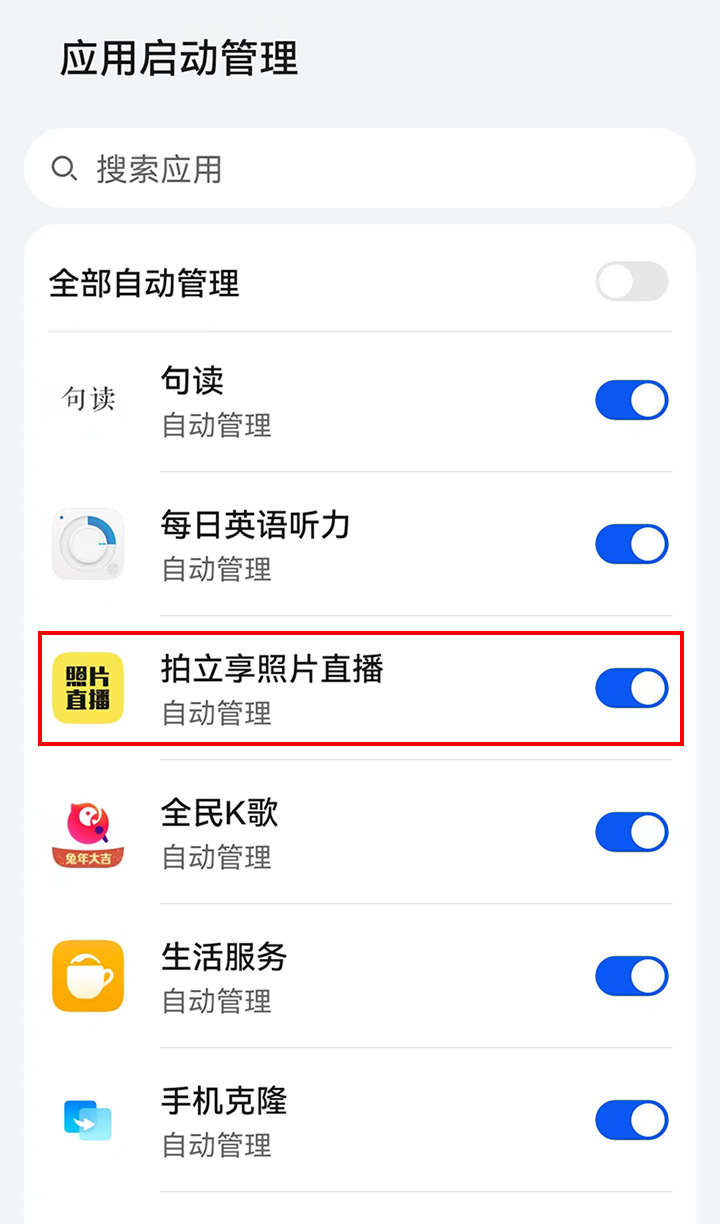
Find "UPHOTO Live" in "App launch" and turn off "Manage automatically" behind it. As shown below:
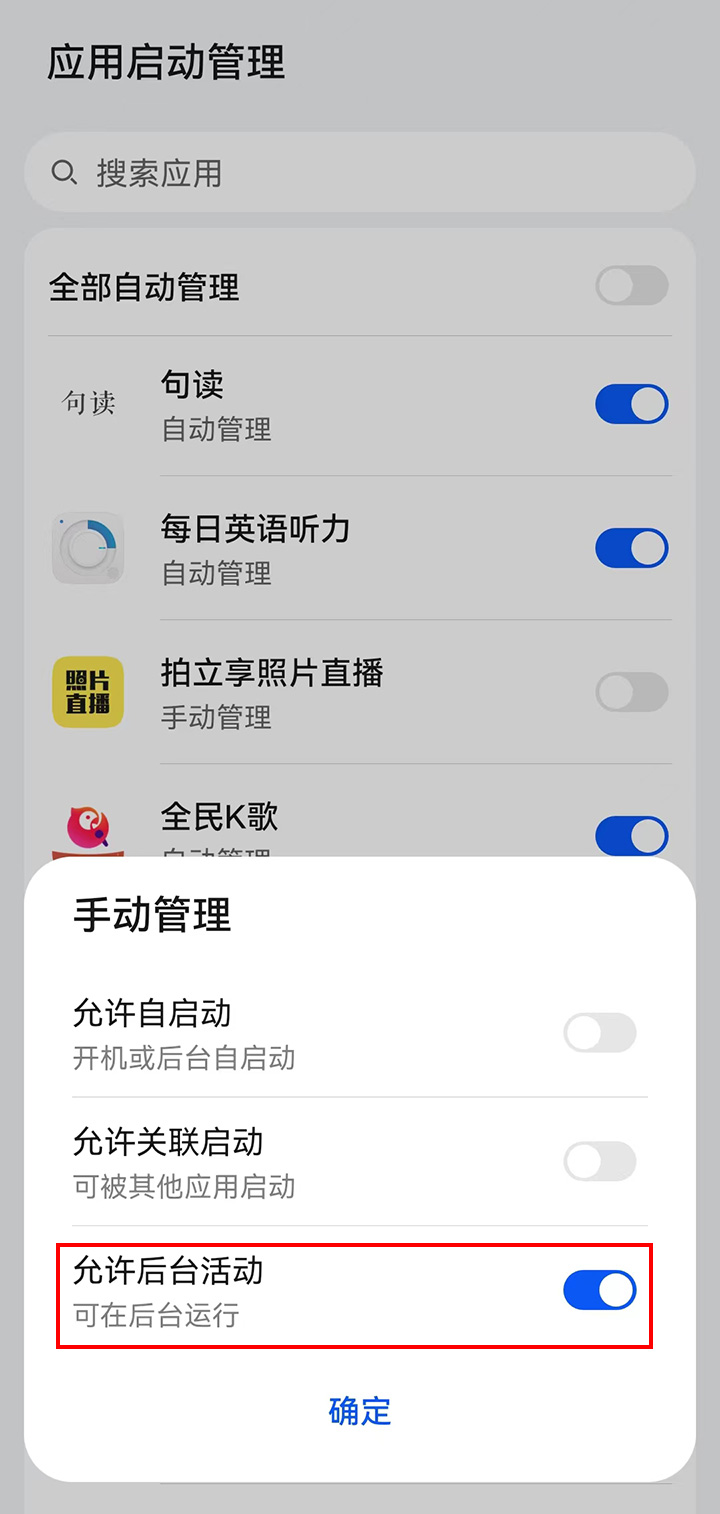
In the pop-up "Manage manually" settings, turn on "Run in background" and click "OK". As shown below:
II. Set Battery Policy
Open "Settings", find "Battery" and click to enter.
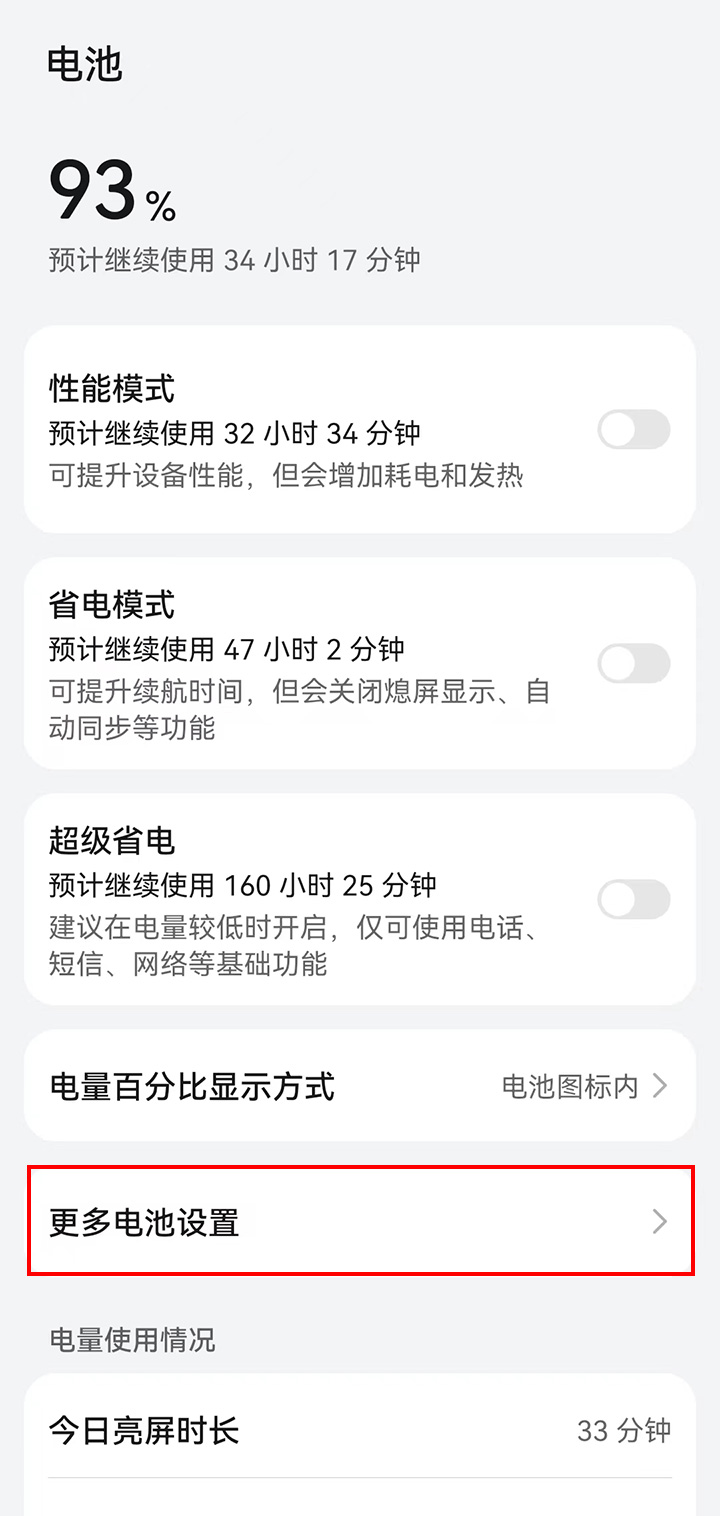
Find "More battery settings" in "Battery" and click to enter. As shown below:
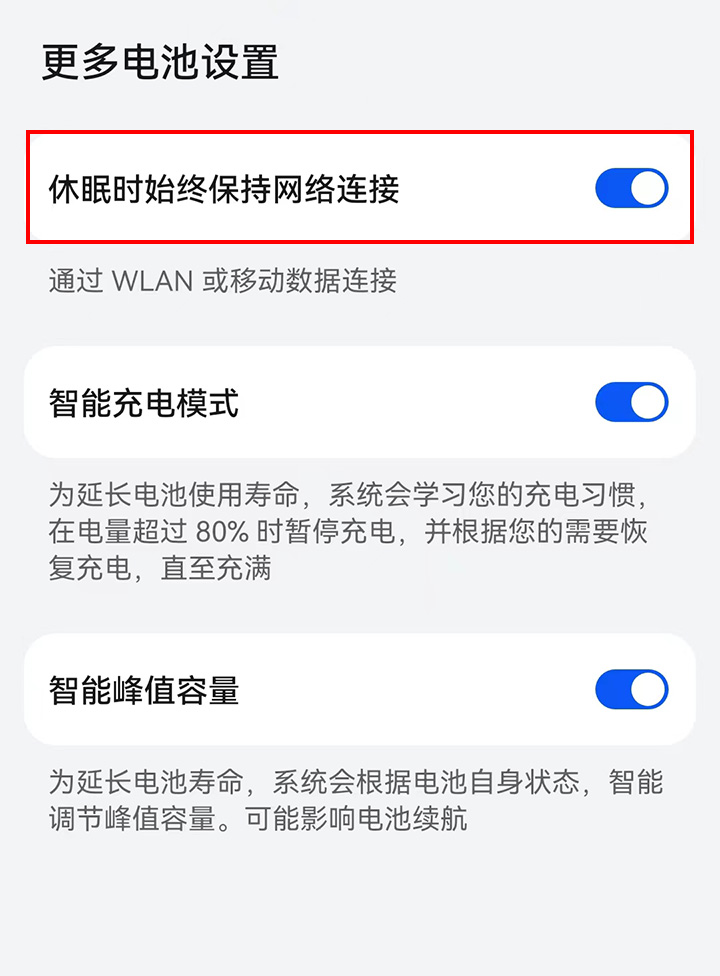
Turn on "Stay connected when device sleeps" in "More battery settings" and return. As shown below: